Storage Url
Configuration
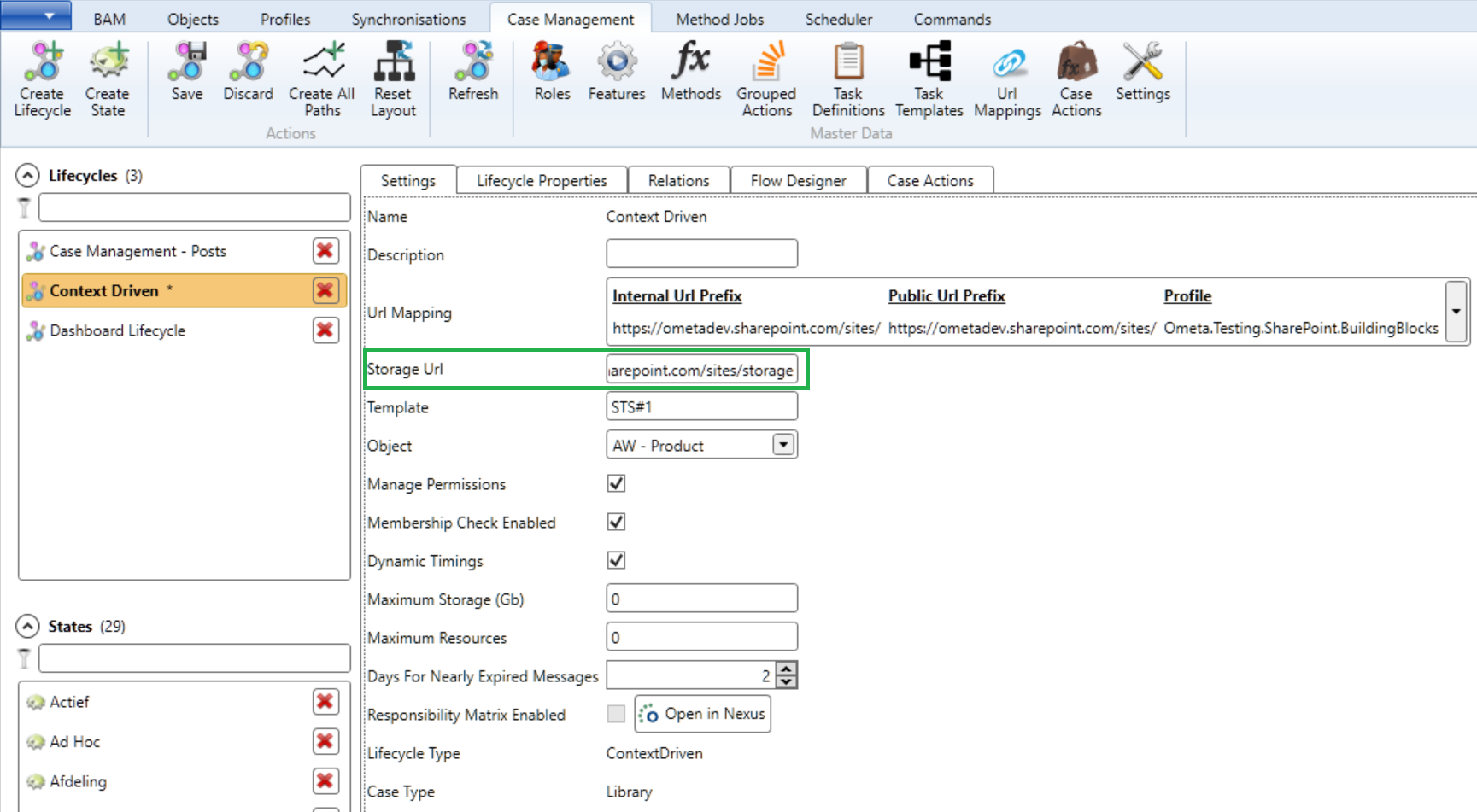
If you are configuring a context driven lifecycle, you have to decide on which storage url the state actions (Building Blocks) will be executed. This is because a context driven case doesn't have a site linked to it.
If you don't configure a storage url, all building blocks will be executed on the url of the case. In many cases, this will be the url of the dashboard (e.g.: https://ometa.sharepoint.com/sites/dashboard?Context-CaseId=xxx).
This is totally fine until you have thousands of cases and run into storage limits on the dashboard site.
Updating Storage Url's
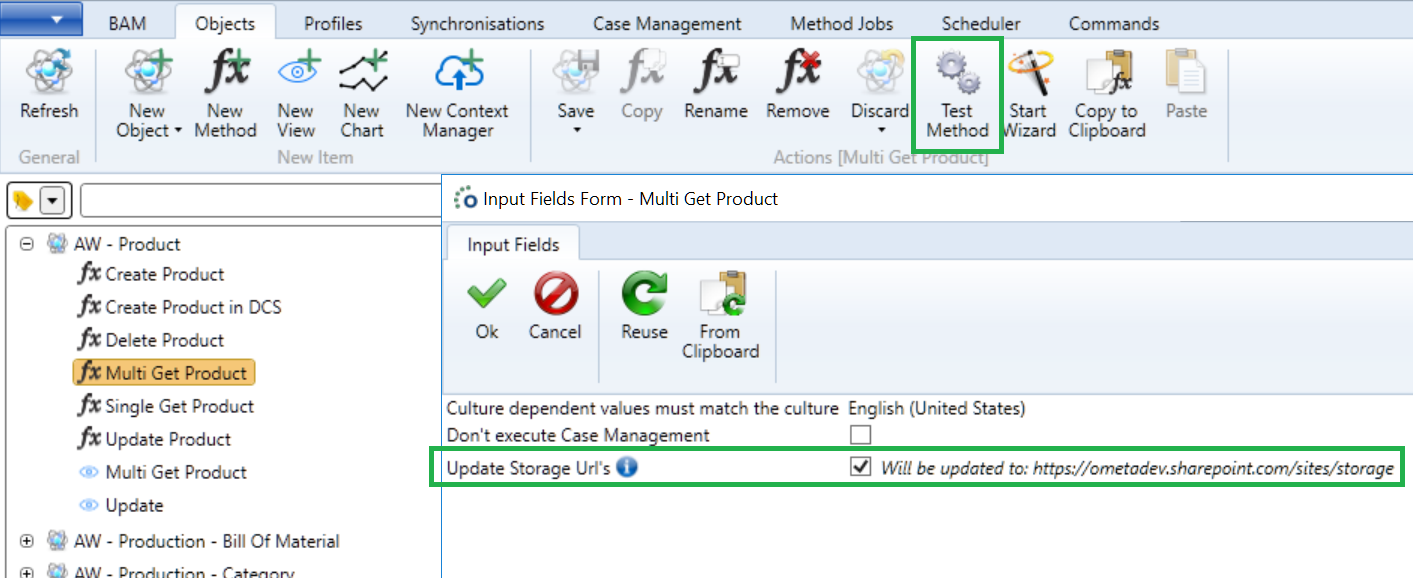
The configured storage url on the lifecycle will be taken over by a case upon its creation. Changing the storage url on the lifecycle will have no effect on already existing cases. If you want to change the storage url on existing cases, you'll have to re-trigger the provisioning system with 'Update Storage Urls' enabled (on the method with trigger case provisioning enabled).
If you want to do this via code on a method which triggers the provisioning system, you can add a context field named Bcsp.UpdateStorageUrls with its value set to 'True'.