ODBC interface
On this page you can find more information about the ODBC interface and the systems it supports. This will include the functions that are used to get data from a database.
Supported systems
| System Type | Description |
|---|---|
| SQL | Structured Query Language: a standard language for accessing databases |
Supported Commands
This part of the documentation contains the specific commands that are used in the ODBC interface. These are the commands that are currently supported by the system. However it is possible to add other commands to the interface.
| Command | Description |
|---|---|
| GetStructures | This function will fetch the structures of a specified database system. |
| GetStructureFields | This function will get all the fields that are in a specified database table. |
Executing the commands
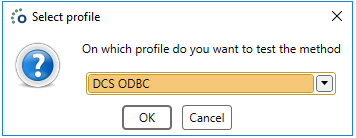
A prompt will ask you which profile the system should use. This profile contains the connection to a database and the system type should also be specified on this profile.
GetStructures
We can retrieve all the structures from a specific datasource.
Comment: The external names of the fields in the Business Connector are automatically converted to the correct name for corresponding with the datasource. Just keep the same internal as external fieldname.
The Interface script should contain the command to excute it in the code. This will always contain the name of the command.
GetStructures
Result
After a profile is selected from the list the user will get a list of all structures in the datasource and gets the Scheme, Name and type of those structures as a result.

GetStructureFields
This function will retreive all fields from a specified table in the datasource. This function will contain the input fields to fetch specific data matching those input fields from the source. The output fields contain the fields that are sent to the result.
GetStructureFields
Result
After a profile is selected from the list the user will get another prompt to make the user specify the scheme and table Name.

