Test Method
It is possible to test methods in the Ometa Business Connector. This can be used to view/check the output of a given method on the configuration side.
How to use the Method Tester
1. Select the Method to Test
Navigate to the method you want to test and select it.
2. Test the method with the right profile
Click on Test Method

3. Select the right profile and execute the method.

4. View the results of the method
View the results in the Test Results tab.

Test Method in Debug
Warning
This option is only available for ODBC, OData, REST and Web Service methods.
The Method Tester now provides a Debug option, allowing the user to get all the debug properties and inspect what was sent out when executing the method.
How to Use the Debug Option
1. Select the Method to Test
Navigate to the method you want to test and select it.
2. Open the Method Tester and Choose Debug
Open the dropdown button and select Test Method in Debug

3. Select the right profile and execute the method.
4. Viewing Results in Debug Mode
Inspect the debug properties in the Debug tab next to Test Results
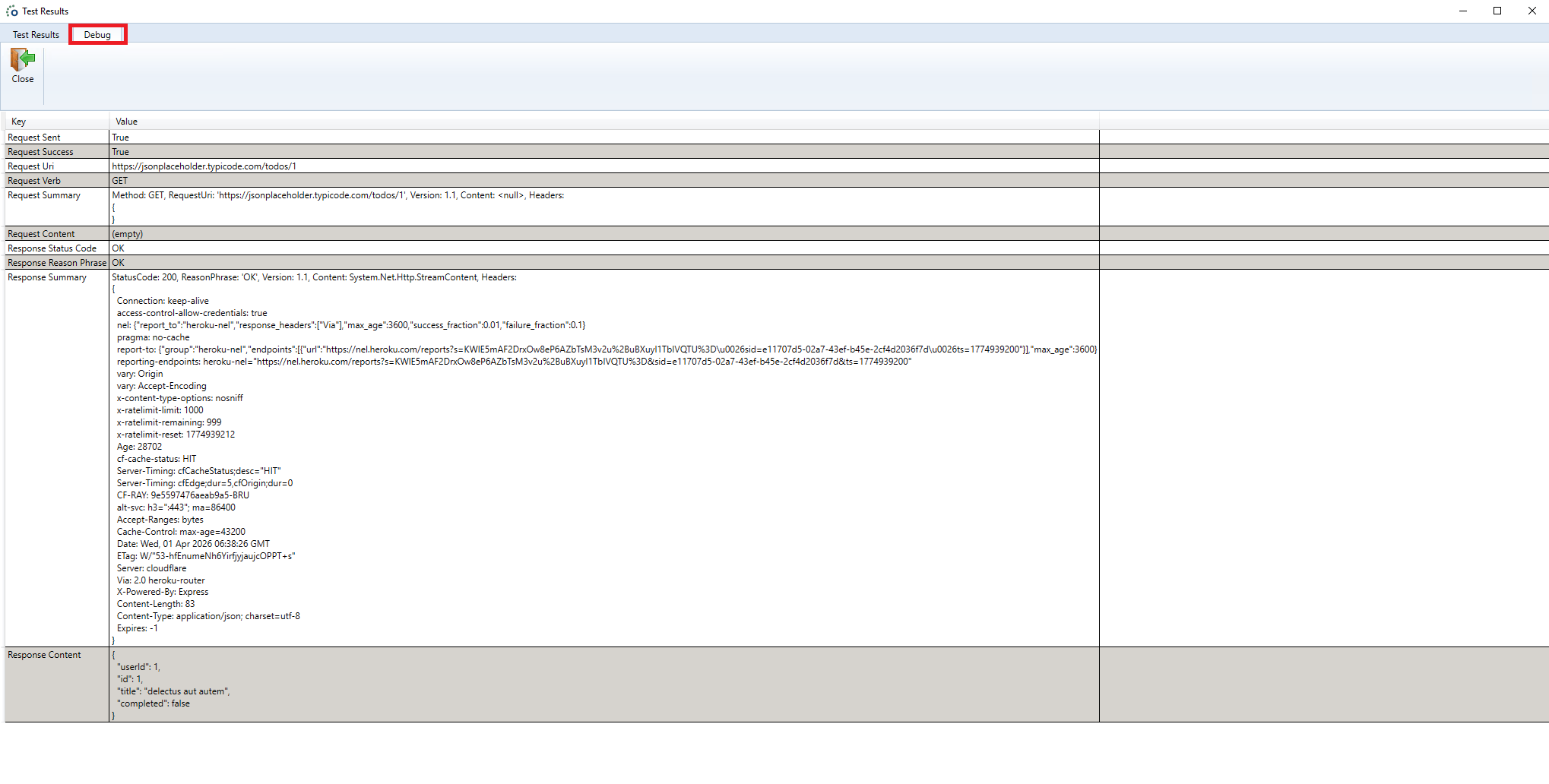
The results for this method execution can still be found in the Test Results tab.