Google Provider 
Google fully supports the OAuth 2.0 protocol and can therefore be used as a trusted provider for authenticating users and providing their claims.
Setup
A few steps are needed to get Google working as a provider. You'll need to add the Authority Service as an app in the developer portal of Google.
Warning
In the following steps, you will be adding the Authority Service as an app to google. Don't do this under your personal account, but create/use a google account with an organisational e-mail address.
Add an app
Login to the Google developer console and create a new project.

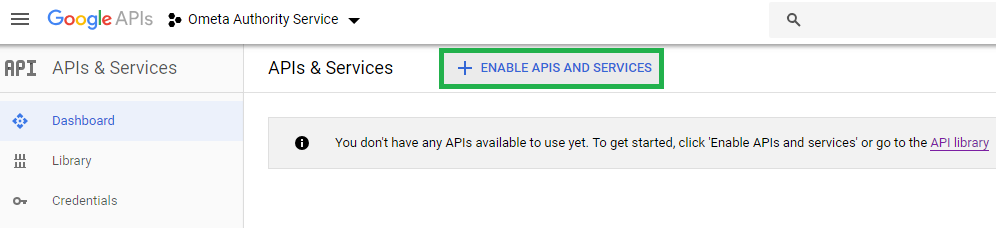
When the project is created, you'll land on the dashboard of that project. It already hints you that no API's are available yet. We need the Google+ API to be able to use Google as an authentication provider.
- Click on Enable API's and Services
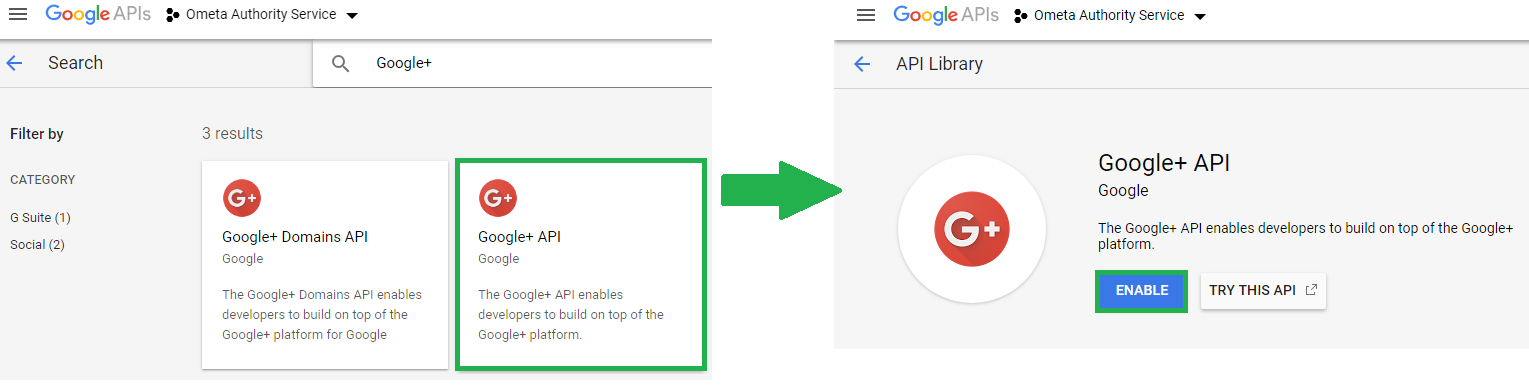
- Type in Google+ in the search bar
- Click on the Google+ API tile
- Click Enable
Consent screen
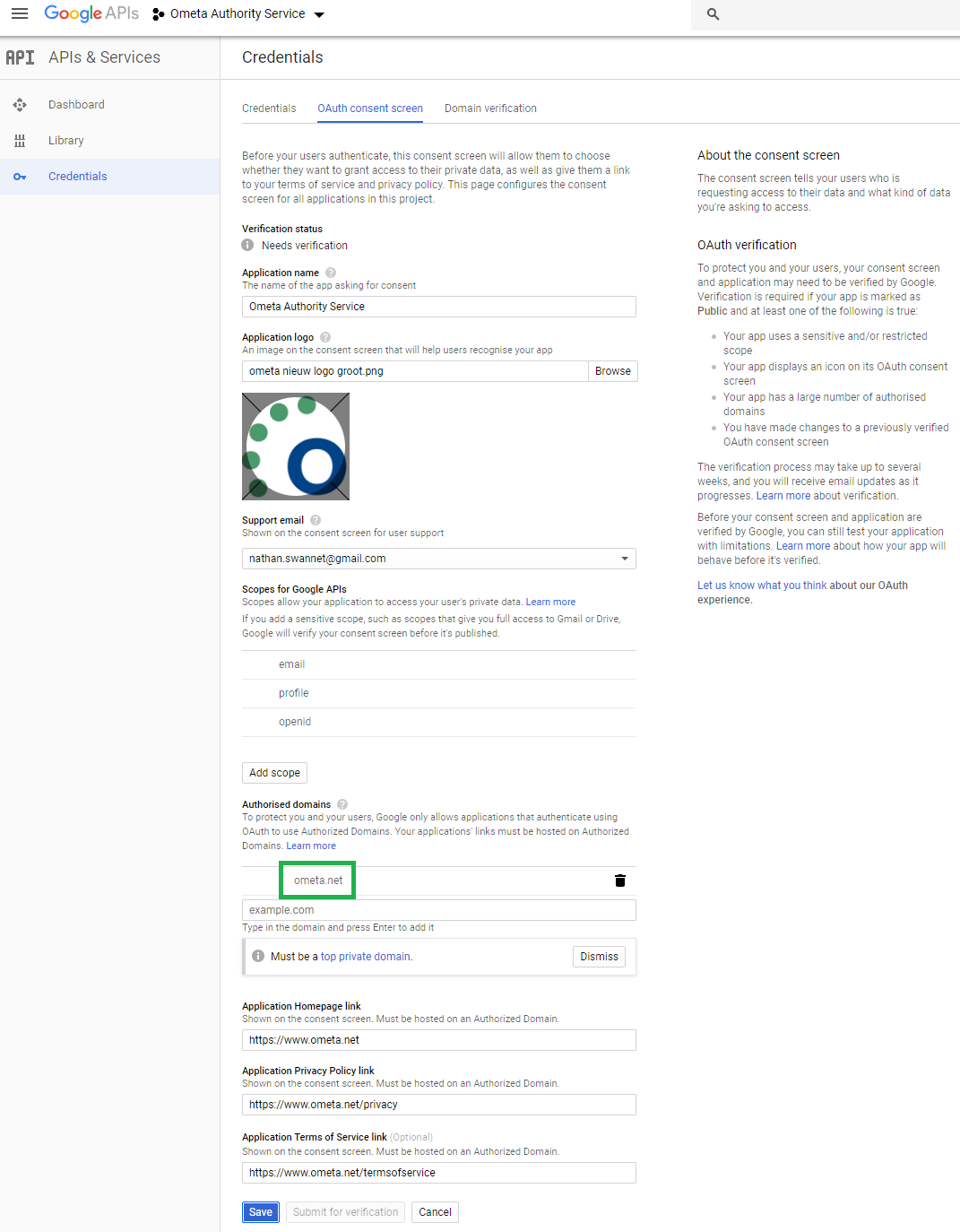
The consent screen needs to be configured before you can use Google as an authentication provider.
- Click on the Credentials link
- Click on the OAuth consent screen tab
Fill-in the required fields and click Save.
Credentials
Note
Before you can do this step, you'll need to fill-in the OAuth consent screen configuration.
You'll need to create a client ID and secret to be able to use Google as an authentication provider.
- Click on the Credentials link
- Click on Create credentials and choose OAuth client ID
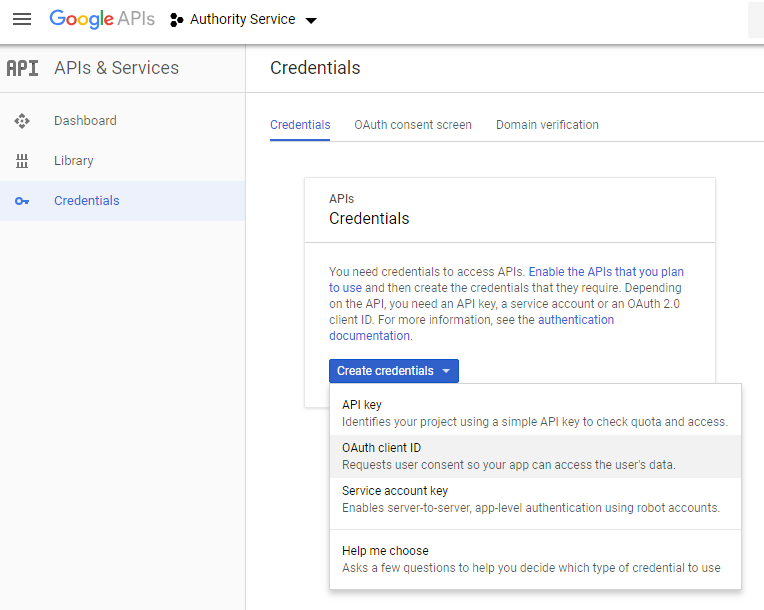
Fill in the required fields and click on Create. The redirect url is the url of your Authority Service appended with /signin-google for example: https://ometa-authority.example.com/signin-google.
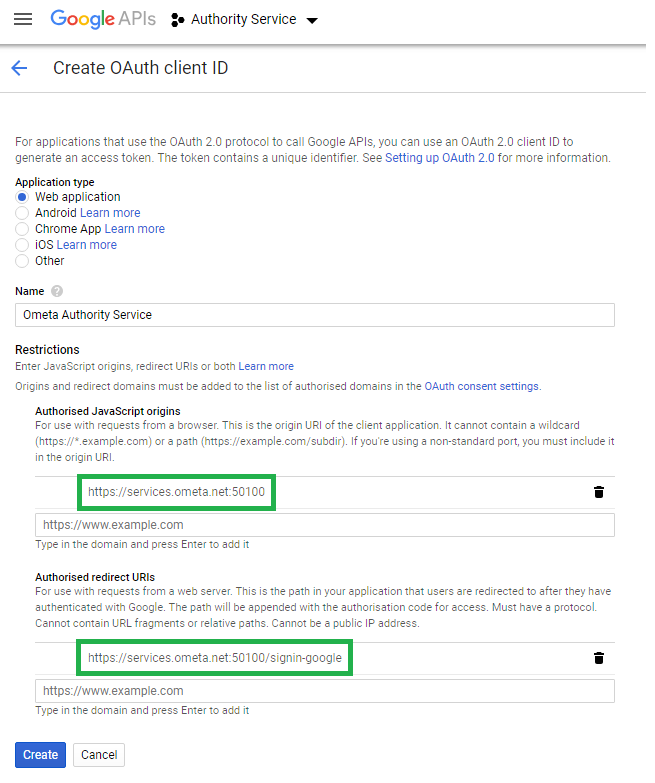
The credentials are now created. Copy the client ID and the client secret as you need them later on to configure in the Ometa Framework.

Claims
The following claims are provided by Google when a user successfully authenticates itself.
- nameidentifier
- name
- givenname
- surname
- emailaddress
An example:
| Type | Value |
|---|---|
| nameidentifier | 102135485643251485 |
| name | John Doe |
| givenname | John |
| surname | Doe |
| emailaddress | john.doe@ometa.net |
User Consent
The first time a user will use the google login to authenticate themself for using the Ometa Framework, they will need to give consent to the Ometa Authority Service for receiving information like their e-mail address, profile photo and name.
Note
If the user doesn't give consent, he/she will not be able to use the Ometa Framework.
The consent must be given only once.
