SAP Wizard
This article describes the usage of the SAP Wizard to complete methods based on the definition of SAP BAPI's. With the help of the wizard, it is easy to generate a proper interface script with accompanying fields that the SAP interface can utilise to execute the selected operation. In the paragraphs below an example is provided showcasing the different steps to take.
Note
The assumption in this article is made that a working SAP profile exists. See the article/paragraph The Profiles Screen for more information if help is needed for creating a profile.
Initial Configuration
First, an object with a method for data retrieval or modification must be present. Make sure that the method has the SAP template selected.
For example:
- Create the object SAP Wizard Demo and add method Get All Customers.
- Set the template to SAP.

There is no need to provide fields upfront, the wizard will create and add them based on the selected BAPI definition.
Open the Wizard
Make sure the method is selected and click on the Start Wizard button in the ribbon.

Then select the right profile to connect to the SAP system, and click on the OK button.

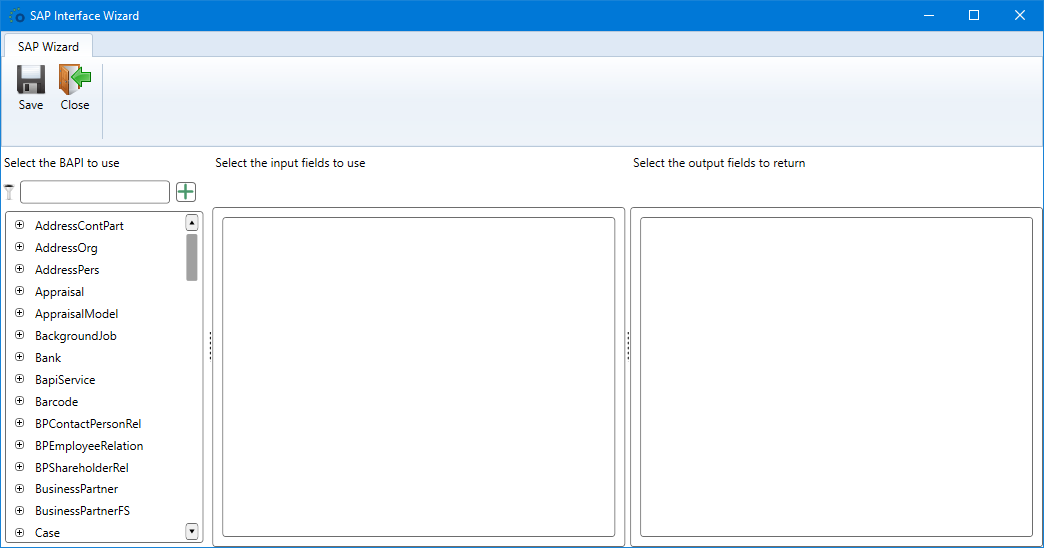
The wizard dialog, as the one shown in the beginning of this article, is opened.
Select the BAPI
The dialog consists of several parts:

- The Save and Close buttons. Clicking on Save will make the wizard to generate the interface script, and add new or update existing fields. The Close button closes the wizard.
- Filter condition to limit the BAPI's shown in the BAPI list (see 3).
- BAPI list. Initially shows all available BAPI's on the SAP server. With a filter condition (see 2), a limited selection can be displayed.
- Input fields of the BAPI. Used for defining a mapping between the method input fields and the BAPI input fields.
- Output fields of the BAPI. Used for defining a mapping between the method output fields and the BAPI output fields.
BAPI List Filtering

- In the filter field, the value customer is entered.
- The BAPI list is automatically updated and displays only the BAPI's containing the value in their names.
BAPI Selection
After selecting a particular BAPI, the wizard shows the input and output fields of the BAPI:

Field Mappings
First, select the BAPI fields that must be mapped to the method fields.
Warning
By default, the wizard adds the mapped fields to the object level and which are in turn selected as either method input or method output field.
However, make sure that the shared field has the same level everywhere. This means when an object field is selected or already existing, make sure that every other field is also set as an object field, and that method fields are always set as method fields. Mixing up those levels can result in wrongly generated field definitions which must be fixed by hand.

Modify Mappings
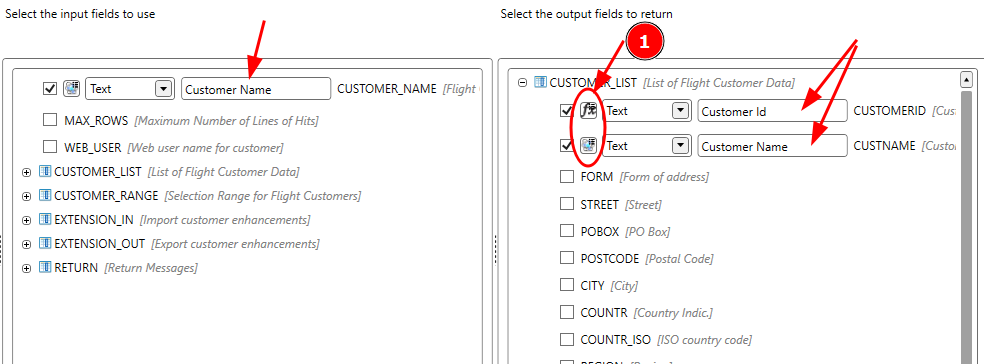
After field selection, several adaptations can be made on a field mapping to make everything more readable or consistent within the solution.
For example, the field names have been changed to a more readable form. The real BAPI field name will be saved to the external name of the object/method field. Also it is possible to let the wizard only generate a method field instead of an object field that will be activated on method level. That can be done by clicking on the level button in (1). In the example, the field Customer Id is set as a method-only field, while the other fields Customer Name are object fields.
Note
It is possible to have 2 different BAPI fields, input and output, mapped to the same object/method field. The wizard will handle such definitions by the external names of the respective fields.
Save And Generate
Now click on Save and the wizard will start adding the fields and generate the interface script.
Based on the example mapping of the previous paragraph, the SAP Wizard will generate the following result.
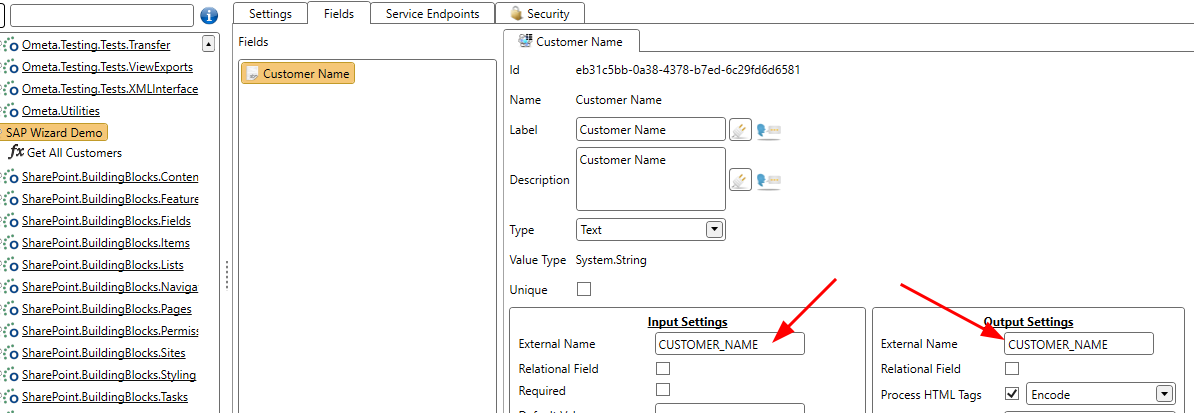
Object Fields
The field Customer Name is defined as an object field:
Method Fields
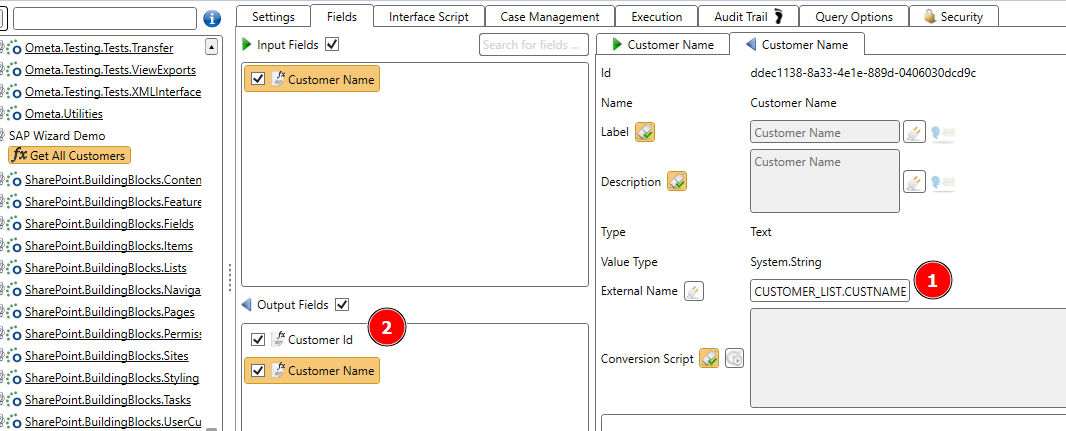
On the method level, the method input field will be taken from the object level. Additionally for the output fields:
- The external name of the field
Customer Nameis changed to the BAPI output field name. - The field
Customer Idwas only set to be a method field and therefor only exists on the method level.