Redirect URLs for BAM Portal
Configure a redirect URL for the ometa.bam client. Follow the next steps:
In the Ometa Business Connector open the application menu in the top left corner.
Click on Security and click on Clients.
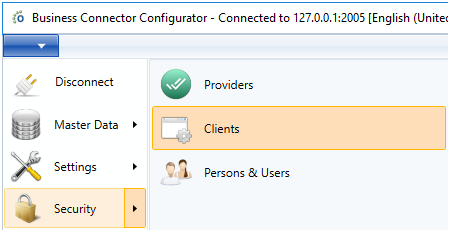
Select the Ometa BAM (ometa.bam) client. If any redirect URL is already present and it is a correct one, the next step can be skipped. Otherwise continue with that step to add a new URL.
Add a new redirect URL by clicking on the plus icon.
This URL is the same URL as the one configured in the step Step 11 - BAM Portal. It is recommended to use wild cards and only include the domain or subdomain. An example can be:
https://ometa-bam.example.com/*.
You can find more information in the related article of security clients.
Troubleshooting
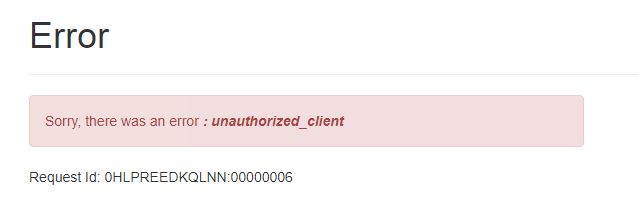
Unauthorized Client
When you get the unauthorized client erorr, this means that you didn't configure the redirect url as described here.
Missing Administrator Rights
When an error message is shown that the BAM Portal cannot be accessed due to missing administrator rights, everything is properly configured but the account used to open the BAM dashboard needs the additional administrator claim.

Use the security dialog window Persons and Users to enable the specific administrator rights on the necessary person accounts.